Make your AI smarter
Let your AI show your own pages
Your AI can point customers to the right page on your website, with a picture.
3 min read
What this does
When a customer asks about something you have a page for, your AI can show that page as a small card with its picture and title. One tap and they are on the right page.
Any website (easiest)
- 1Click Settings in the left menu.
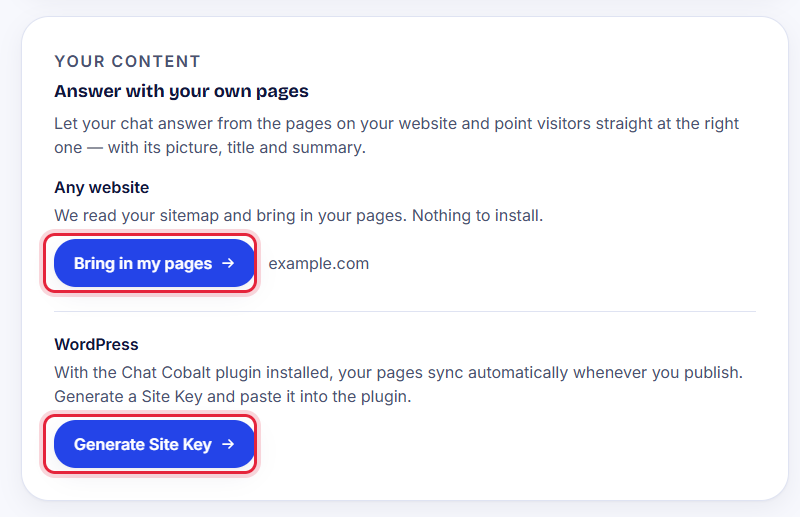
- 2Find Answer with your own pages.
- 3Under Any website, press Bring in my pages.
- 4Wait a minute. We read your website's list of pages and bring them in. Nothing to install.
Tip: Your pages refresh by themselves every night, so new pages appear on their own.
WordPress websites
If your website runs on WordPress, our plugin can send your pages for you every time you publish. See Send your pages from WordPress.
Stuck?
Ask the chat bubble in your dashboard, use Support in the left menu, or email support@chatcobalt.com. A real person reads every message.
Related guides
Chat Cobalt is a Codebold IT Solutions product.