Plans and account
Run more than one website
One login, many websites. Each has its own AI, leads and plan.
2 min read
Add a website
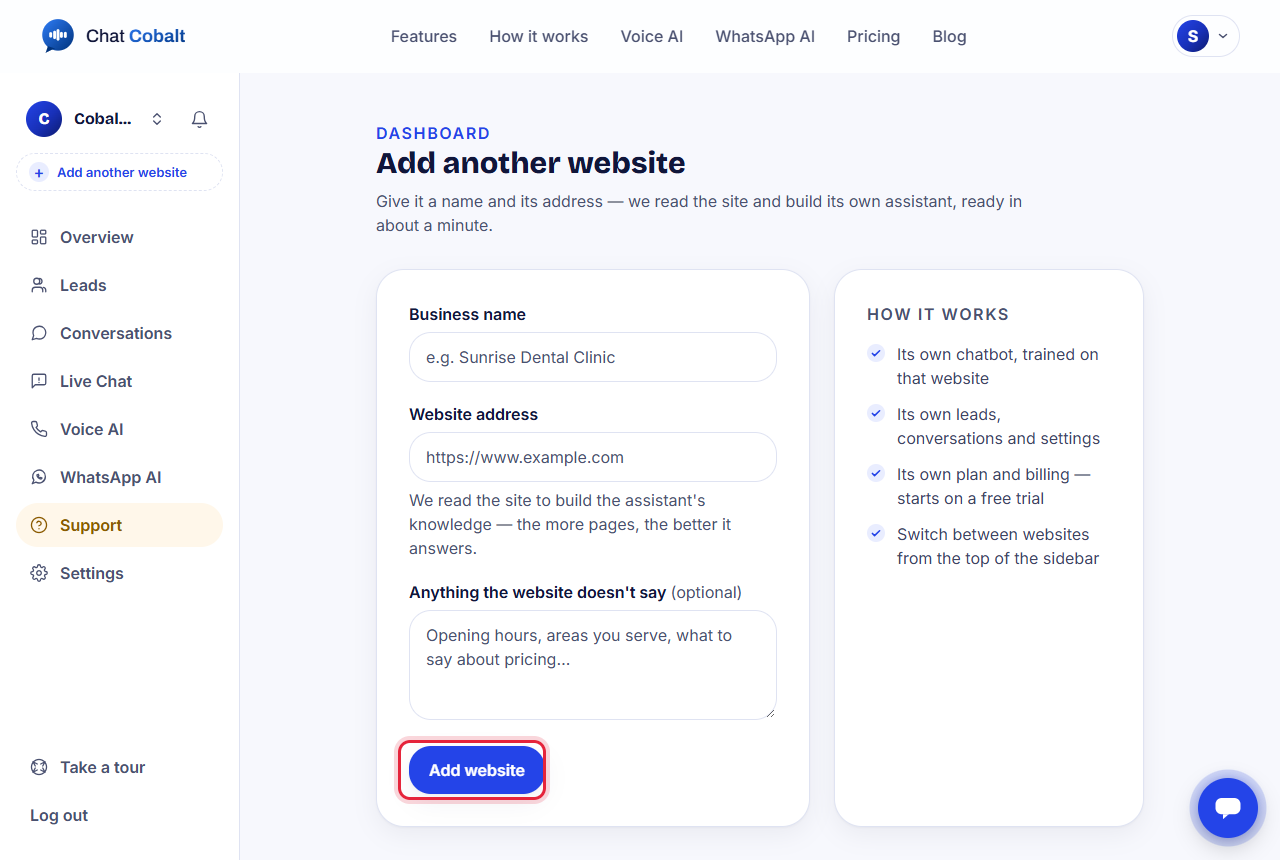
- 1At the top of the left menu, press + Add another website.
- 2Type the business name and the website address.
- 3Press Add website. In about a minute it has its own AI, trained on that website.
Switch between websites
Click the business name at the very top of the left menu and choose another one. Every page then shows that website's chats, leads and settings.
Each website has its own plan and its own free trial.
Stuck?
Ask the chat bubble in your dashboard, use Support in the left menu, or email support@chatcobalt.com. A real person reads every message.
Related guides
Chat Cobalt is a Codebold IT Solutions product.