WordPress plugin
Install the WordPress plugin
Put the chat on your WordPress website without touching any code.
3 min read
Step by step
- 1Log in to your WordPress website (yourwebsite.com/wp-admin).
- 2On the left, go to Plugins → Add New.
- 3In the search box, type Chat Cobalt.
- 4Next to Chat Cobalt, press Install Now, then Activate.
- 5A new item Chat Cobalt appears in the left menu. Click it.
- 6Paste your Business ID into the box and press Save changes.
Where is my Business ID?
- 1Open your Chat Cobalt dashboard and stay on Overview.
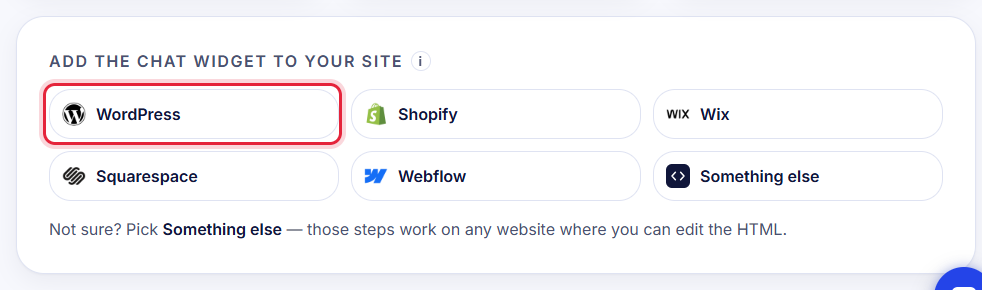
- 2In Add the chat widget to your site, click WordPress.
- 3Your Business ID is shown there with a Copy button.
Check it worked
Open your website. The chat bubble appears in the bottom corner. In the plugin, Try your chatbot lets you ask it a question without leaving WordPress.
Tip: The plugin updates itself like any other WordPress plugin.
Stuck?
Ask the chat bubble in your dashboard, use Support in the left menu, or email support@chatcobalt.com. A real person reads every message.
Related guides
Chat Cobalt is a Codebold IT Solutions product.