Every day
Your leads
See everyone who left their details, and call them back.
2 min read
What is a lead?
A lead is a person who might become your customer. When a visitor shares their name, email or phone in the chat, they appear in Leads.
Look at your leads
- 1Click Leads in the left menu.
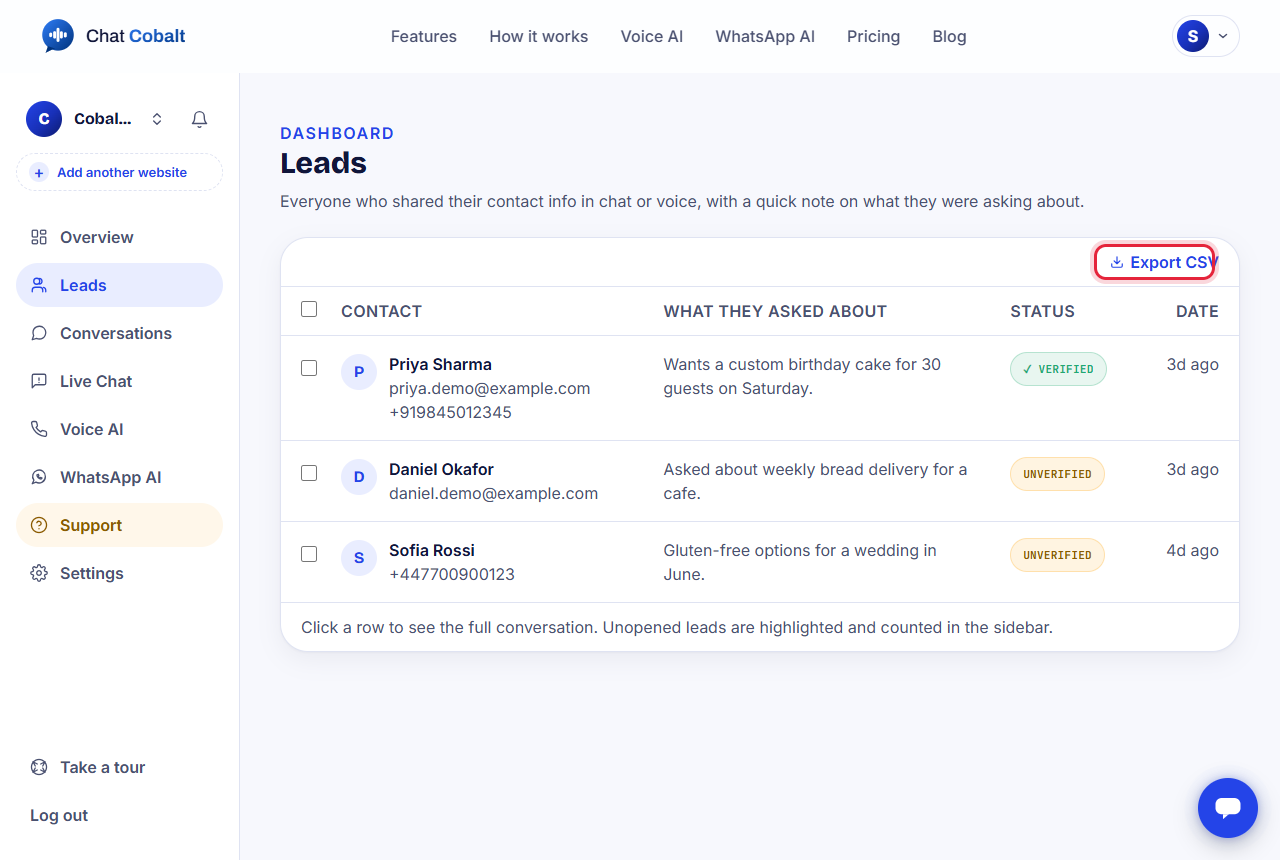
- 2Each row is one person: their name, how to reach them, what they asked about, and when.
- 3Click a row to read the whole chat.
- 4Verified means they confirmed their details with a code. Unverified means they did not.
Tip: New leads you have not opened yet are highlighted, and their number shows in the left menu.
Download your leads
Press Export CSV at the top. You get a file that opens in Excel or Google Sheets.
Get told about new leads
We email you the moment a new lead arrives. With the mobile app, your phone tells you too.
Stuck?
Ask the chat bubble in your dashboard, use Support in the left menu, or email support@chatcobalt.com. A real person reads every message.
Related guides
Chat Cobalt is a Codebold IT Solutions product.